NSE6_FMG_AD-7.6 Exam: A Practical Guide to FortiManager 7.6 Administration

NSE6_FMG_AD-7.6 Exam: FortiManager 7.6 Skills, Objectives & Study Approach
The NSE6_FMG_AD-7.6 exam is a Fortinet certification exam focused on the practical administration of FortiManager 7.6. It is relevant to network and security professionals who manage multiple FortiGate devices from a centralized FortiManager environment.
FortiManager plays an important role in larger Fortinet deployments because it provides centralized administration for device configurations, policies, and other management tasks. As the number of managed FortiGate devices increases, understanding centralized workflows becomes increasingly important.
For candidates preparing for NSE6_FMG_AD-7.6, the objective should not be to memorize isolated questions or interface options. A stronger approach is to understand how FortiManager works, how managed devices interact with the platform, how configurations are controlled, and how administrators investigate problems.
Fortinet currently identifies the certification as the Fortinet NSE 6 - FortiManager 7.6 Administrator exam. Its published description emphasizes applied knowledge of FortiManager configuration and operation, including operational scenarios, system configuration, device registration, and troubleshooting.
What Is The NSE6_FMG_AD-7.6 Exam?
The NSE6_FMG_AD-7.6 exam evaluates practical knowledge of FortiManager 7.6 administration.
FortiManager is designed to provide centralized management of FortiGate devices. Instead of managing every firewall independently, administrators can use FortiManager to organize devices and manage configurations and security policies from a centralized platform.
This centralized approach becomes particularly useful in environments with branch offices, multiple security appliances, or standardized security requirements.
The exam therefore requires candidates to understand both individual FortiManager functions and the broader administrative workflow.
A candidate should be able to understand what needs to be configured, how a FortiGate becomes a managed device, how changes are handled, and what information can be examined when a deployment does not behave as expected.
What Makes FortiManager Administration Different?
FortiManager administration is different from configuring a standalone FortiGate because the administrator is working with a centralized management layer.
A change made through FortiManager can potentially affect one device, a group of devices, or a larger managed environment. This makes planning, configuration control, policy management, and deployment verification important parts of the administrator's responsibilities.
For exam preparation, candidates should understand this distinction clearly.
Instead of asking only, "Where is this setting?", ask, "Why is this setting managed centrally, and what happens when it is deployed to a FortiGate?"
That change in thinking can make scenario-based questions much easier to analyze.
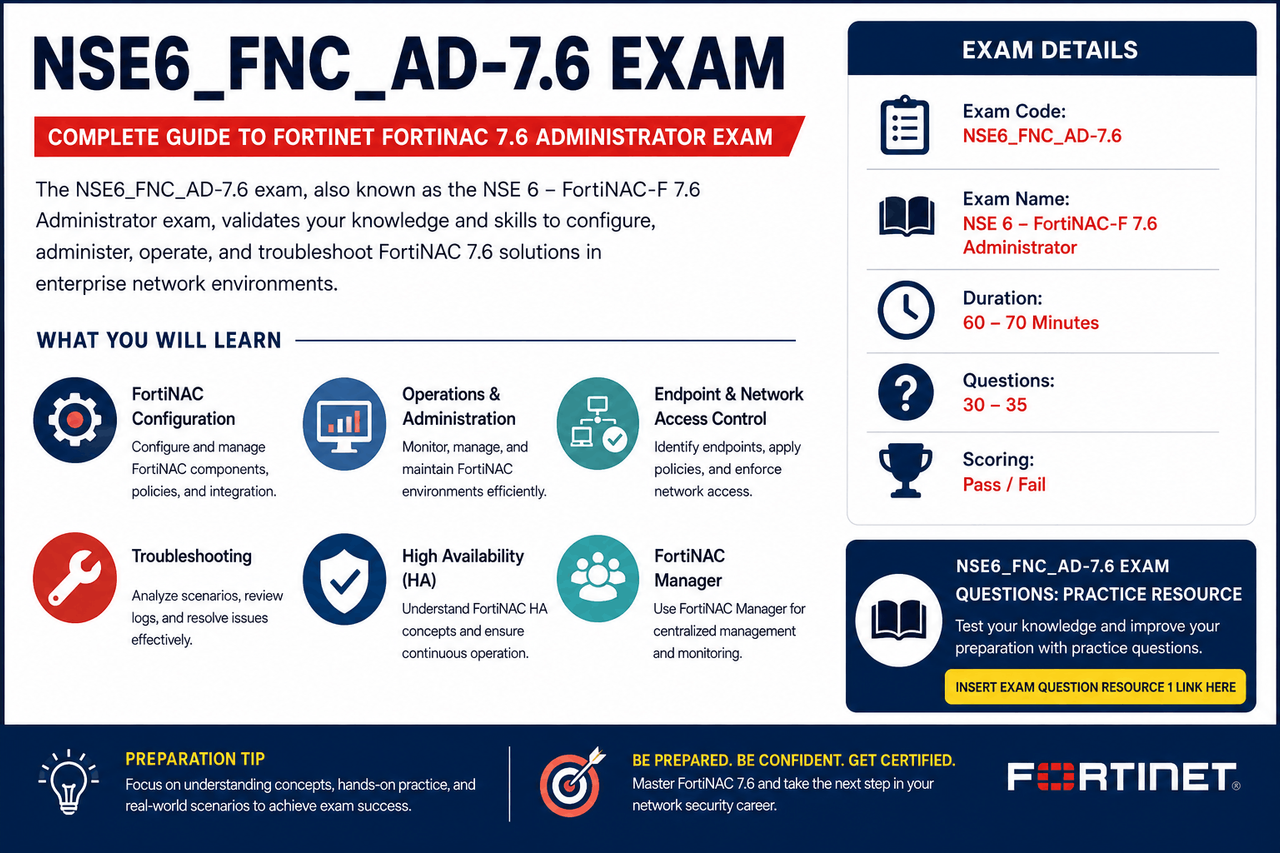
Important NSE6_FMG_AD-7.6 Knowledge Areas
The official exam description highlights several areas that candidates should understand, particularly system configuration, device registration, operational scenarios, and troubleshooting.
FortiManager System Configuration
System configuration provides the foundation for FortiManager administration.
Candidates should understand the basic operational structure of FortiManager and the administrative settings required to maintain a functional management environment.
The best way to study this area is to connect each configuration concept to its purpose. Understand what the setting controls, when an administrator would modify it, and how the change might affect the management environment.
This approach is more useful than attempting to memorize every available option.
FortiGate Device Registration
Managing FortiGate devices centrally begins with establishing the appropriate management relationship between FortiManager and the FortiGate.
Candidates should understand the concepts involved in registering and authorizing devices, managing their status, and maintaining synchronization between the centralized management platform and managed firewalls.
A practical study scenario is useful here. Imagine that a new FortiGate has been installed at a remote office and must be brought under centralized management. Consider what the administrator needs to verify before the device can be successfully managed.
This type of exercise helps connect configuration knowledge with operational behavior.
Centralized Configuration Management
One of the primary reasons organizations use FortiManager is to manage configurations centrally.
Candidates should understand how configuration changes are prepared and deployed and how administrators can maintain consistency across multiple FortiGate devices.
It is also important to understand the difference between a configuration that exists on FortiManager and the configuration currently running on a managed FortiGate.
When studying this topic, focus on the complete workflow rather than individual buttons or screens. Understand how a change is created, reviewed, installed, and verified.
Policy Management And Deployment
Centralized policy administration is another important part of working with FortiManager.
When several FortiGate devices are managed from one platform, administrators need a structured approach to security policies. Policies may need to be standardized while still accommodating device-specific requirements.
Candidates should understand how policy changes are organized, reviewed, assigned to appropriate devices, and installed.
A useful study method is to imagine a policy change in a production environment. Before deployment, what should the administrator verify? Which devices should receive the change? What could prevent installation? How would the administrator confirm the result?
Questions like these encourage the type of practical reasoning needed for FortiManager administration.
Troubleshooting FortiManager Environments
Troubleshooting is particularly important because centralized management introduces dependencies between FortiManager and the FortiGate devices it controls.
Fortinet's published exam information specifically includes troubleshooting as part of the assessment.
Candidates should be prepared to investigate issues involving device registration, configuration synchronization, policy installation, and other management operations.
A structured troubleshooting approach begins with identifying the actual symptom. The next step is to determine whether the problem is related to the FortiManager system, the managed FortiGate, communication, configuration, or deployment workflow.
After identifying the likely area, review the available diagnostic information before making changes.
This approach is preferable to changing multiple settings at once because it preserves a clear connection between the observed problem and the corrective action.
How To Prepare For NSE6_FMG_AD-7.6
A good preparation plan should begin with the current Fortinet exam objectives.
First, identify the areas where you already have practical experience and those where your knowledge is limited. This helps prevent spending equal amounts of time on every topic.
Next, study the official FortiManager 7.6 documentation. Version-specific documentation is particularly important because configuration procedures and features can change between releases.
Hands-on practice should then be used to reinforce the concepts. If a laboratory environment is available, practice adding managed devices, reviewing configurations, working with policies, performing installation workflows, and investigating common errors.
The final stage can involve practice questions. Use them to identify knowledge gaps rather than simply memorizing answer patterns.
NSE6_FMG_AD-7.6 Exam Questions Resource
Practice questions can provide a useful way to check whether you understand the underlying concepts.
When reviewing a question, pay attention to why an answer is correct. If you make a mistake, return to the related FortiManager documentation and determine which concept you misunderstood.
Resource 1 Placement
You can insert your exam question resource naturally in this section:
NSE6_FMG_AD-7.6 Exam Questions Resource 1: Candidates can use this practice resource to review FortiManager-related concepts and identify areas that may require additional preparation.
https://www.dumpslink.com/NSE6_FNC_AD-7.6-pdf-dumps.html
For an informational article, it is better to identify the material as a practice resource rather than claiming that it contains actual, leaked, or guaranteed examination questions.
Common Preparation Mistakes
One common mistake is treating FortiManager like a simple extension of the FortiGate interface. The centralized management model introduces additional workflows that candidates need to understand.
Another mistake is focusing only on configuration and ignoring troubleshooting. Administrators need to know not only how to configure a feature but also how to determine why it is not working as expected.
Using outdated study resources is another potential problem. Candidates should make sure their preparation material corresponds to the FortiManager 7.6 version relevant to the examination.
It is also important not to rely completely on practice-question scores. A high score is useful, but genuine readiness comes from being able to explain the underlying technical reasoning.
Final Thoughts
The NSE6_FMG_AD-7.6 exam is centered on practical FortiManager 7.6 administration. Candidates need to understand how centralized management works, how FortiGate devices are registered and controlled, how configurations and policies are deployed, and how administrators troubleshoot problems.
A strong preparation strategy combines current Fortinet objectives, version-specific documentation, hands-on laboratory work, and practice questions used as a knowledge-checking tool.
The most useful mindset is to study FortiManager as an administrator rather than as a list of exam topics. Understand what happens before, during, and after a configuration change, how centralized management affects managed devices, and how to investigate unexpected results.
That approach can provide a stronger foundation for the certification while also developing practical skills that are relevant to real FortiManager administration.
- Like
- Reply
-
Share




About Us · User Accounts and Benefits · Privacy Policy · Management Center · FAQs
© 2026 MolecularCloud